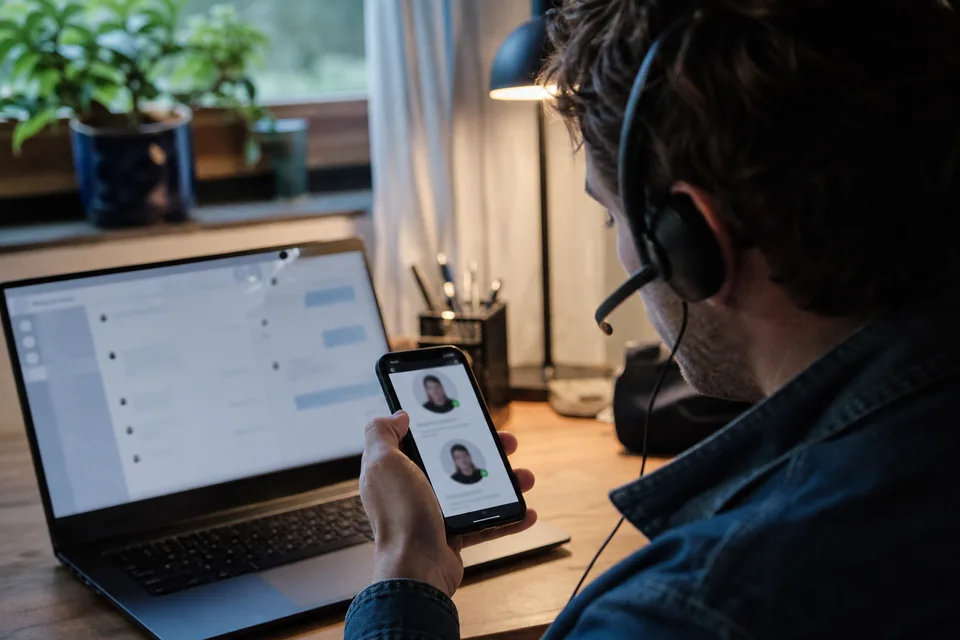
Lookalike usernames are handles built to be mistaken for a real brand or person, using typos, swapped or doubled letters, characters from other alphabets that look identical (homoglyphs), extra separators and suffixes like support or official. Scammers rely on people reading handles quickly, especially on small phone screens.
If you're responsible for a brand, knowing these patterns is the difference between catching an impersonation account on day one and hearing about it from a customer who's already lost money. This guide breaks down the main families of lookalikes, shows how each one fools readers and explains how to generate and monitor the variants of your own name.
Why lookalikes work at all
People don't read handles letter by letter. They recognize the overall shape of a familiar word, glance at the profile picture and move on. A lookalike only has to survive that glance. On a mobile feed, where the handle sits in small type next to a copied logo, the bar is low.
There's also context. When a reply to a customer complaint comes from something that looks like "yourbrand_support", the customer expects support to reply, so the brain fills in the rest. Our article on how fake support accounts work covers that scam in detail.
The main families of lookalike usernames
Most lookalikes fall into a handful of patterns. Using a made-up brand called "northwind" as an example:
| Pattern | Examples | How it fools people |
|---|---|---|
| Suffixes | northwind_support, northwindhelp, northwind.official, northwindteam | Sounds like a legitimate sub-account of the brand |
| Prefixes | real_northwind, the.northwind, getnorthwind, hey_northwind | Mimics common naming patterns for official accounts |
| Separators | north_wind, north.wind, north-wind | Reads identically at a glance |
| Omitted letter | nortwind, northwnd | The eye autocorrects familiar words |
| Doubled letter | northwiind, nnorthwind | Hard to notice in a long word |
| Swapped letters | nortwhind, northwnid | Word shape stays almost the same |
| Visual substitutions | n0rthwind, northwlnd, rnorthwind | 0 for o, l for i, rn for m look alike in many fonts |
| Homoglyphs | northwind with a Cyrillic o | Visually identical, a completely different string |
| Numbers and years | northwind1, northwind2026 | Looks like a regional or event account |
Homoglyphs deserve special attention
Homoglyphs are characters from different writing systems that look the same. The Latin letter "a" and the Cyrillic letter "а" are distinct characters with different codes, but in most fonts they're indistinguishable. A handle made of mixed scripts can look exactly like your brand while being a completely separate username.
Whether this works depends on the platform. Many major networks restrict usernames to basic Latin letters, digits and a few separators, which blocks pure homoglyph attacks in the handle itself. But display names usually allow any characters, and so do many smaller platforms, forums and domain names, where internationalized domains can contain characters from other scripts. That's why homoglyphs matter even if your main platforms block them in handles: the display name next to a harmless-looking handle can still read as your brand.
A related trick uses character combinations rather than foreign scripts. "rn" next to each other looks like "m" in many fonts, "vv" looks like "w" and "cl" can pass for "d". These work everywhere, because they only use ordinary letters.
Suffix and prefix patterns are the most common
Typos and homoglyphs get attention because they're clever, but in practice the most common lookalikes are the boring ones: the brand name plus a word. Support, help, care, official, team, service, desk, info, global, hq and the names of countries or cities all appear regularly. Giveaway and promo variants show up around product launches and holidays.
The reason is simple. These handles don't need to be mistaken for the main account. They only need to look like a plausible secondary account of the brand, and many real brands do run separate support or regional accounts, so customers find them believable.
How to generate the variants of your own name
You can't monitor what you haven't listed. Building a variant list by hand for one brand name is a good exercise, and it's worth doing at least once so you understand the space:
- Start with the exact brand name and every official handle you use.
- Add suffix and prefix variants using the common words above, with and without separators.
- Add separator variants by inserting dots, underscores and hyphens between natural word breaks.
- Add single-edit typos: one letter removed, one doubled, two neighbors swapped.
- Add visual substitutions: 0 for o, 1 or l for i, rn for m, vv for w.
- Add executive names if impersonation of leaders is a risk for you.
For a typical brand name this quickly reaches hundreds of variants, which is why doing it manually doesn't scale past a one-time check. The Brand Monitoring plan generates these variants automatically from each brand term (typos, homoglyphs, separators and suffixes) and scans for them every hour. You can read more on the fake account detection page.
Checking which variants exist
Once you have the list, the question becomes which variants are registered, and where. A username lookup on each variant answers that. When reviewing the results, sort them roughly like this:
- Yours. Variants you registered defensively. Make sure they're locked down and clearly marked as official or redirecting.
- Unrelated. Legitimate accounts that happen to share a similar name, for example a different business in another country. Usually no action needed, but note them.
- Fans and resellers. Accounts that use your name openly and honestly. Your brand guidelines decide what's acceptable.
- Suspicious. New accounts, copied branding, replies to your customers or requests for personal data. These go straight to review and reporting.
Free variants are worth a second look too. If "northwind_support" is free on a network where you're active, registering it yourself removes it from a scammer's options. Our guide to securing a brand handle before launch covers defensive registration step by step.
Monitoring lookalikes over time
The variant space doesn't stand still. New accounts get registered every day, and impersonation spikes around launches, outages, sales events and news coverage. A one-time check shows you today's picture. Monitoring shows you what changed since yesterday.
Effective monitoring has a few properties:
- Scheduled scans at a frequency that matches the risk, from daily for a creator to every fifteen minutes for a large brand.
- Alerts where your team works, by email, Slack or webhook, so nothing sits unread in a dashboard.
- A case board to track each finding through review, reporting and closure.
- Evidence snapshots recorded at the moment of discovery, because impersonation accounts often get edited or deleted once they're noticed.
Scan frequency and the number of brands you can watch depend on the plan, from three monitored usernames with a daily scan on Pro to fifty brands every fifteen minutes on Brand Enterprise. The pricing page lays out the details, and the brand impersonation monitoring page explains how alerts and cases work.
Practical takeaways
- Most lookalikes are simple: brand name plus a word like support or official.
- Typos, visual substitutions and separators fool the quick glance most people give a handle.
- Homoglyphs matter most in display names, smaller platforms and domains.
- List your variants once by hand to understand them, then let monitoring do the repetitive work.
- Register the riskiest free variants yourself.
- Act fast on suspicious ones and keep evidence, because they rarely stay unchanged for long.
Lookalike usernames are cheap to create and effective often enough that they'll keep appearing. The brands that handle them well aren't the ones with the most complicated tools. They're the ones that know their variant space and notice new accounts early. A good first step is to look up your brand name and a few obvious variants today and see what's already out there.
A quick self-check for your team
Here's a simple exercise worth running in your next team meeting. Write your brand name on a whiteboard, then ask everyone to suggest the handle they would register if they wanted to fool your customers. Within five minutes you'll usually have most of the patterns in this article, plus one or two specific to your industry, like a product name with "refunds" or "claims" attached. Those industry-specific variants are often the ones automated lists miss, so add them to your monitored terms by hand.
Frequently asked questions
What is a homoglyph in a username?
A homoglyph is a character that looks identical to another character but comes from a different writing system or code point, like a Cyrillic letter that looks like a Latin one. A handle using it can look exactly like a brand name while being a different string to the computer.
Do major social networks allow homoglyphs in usernames?
Many large networks limit handles to basic Latin letters, numbers and a few separators, which blocks most homoglyph handles. Display names, smaller platforms, forums and internationalized domains are more permissive, so homoglyphs still show up next to harmless looking handles.
How many lookalike variants does a typical brand name have?
It depends on the length of the name and how many patterns you include, but once you combine suffixes, separators, single typos and visual substitutions, even a short brand name produces hundreds of plausible variants. That's why monitoring tools generate them automatically.
Should I register every lookalike of my brand?
No. Register the exact handle everywhere it matters and the few variants scammers favor most on the platforms where your customers are, typically the support, help and official versions. Monitor the rest.
Are all lookalike accounts malicious?
No. Fan pages, resellers and unrelated businesses with similar names are common. Look at behavior: copied branding, replies to your customers and requests for personal data or payments are what separate impersonation from coincidence.